

What Pro includes
- AI. Assistant in the app,
rebind aiin a terminal, the chat at rebind.gg, andrb.aicalls inside scripts all run on Pro, metered against a monthly allowance. Both of Rebind’s models are included: Fast and Smarter in the app,defaultandproinrebind ai. - Pro scripts. Marketplace listings marked Pro. A listing is marked when
its code uses
rb.ai,rb.phone, orrequire("@rebind/pro"). Installing one, free or paid, needs Pro or a running trial. The author is exempt. - Cloud backups. Creating backups and setting a backup passphrase. See Sharing and backups.
What Pro does not gate
- Hardware mode and device activation. These are a one-time purchase. Activation is permanent for the activated Rebind Link and is never part of Pro.
- Buying and running marketplace scripts. Any signed-in account can buy paid scripts with credits. Only listings marked Pro need Pro.
- Publishing. Any signed-in account with a claimed
@handlecan publish. See Publishing scripts. - Restoring backups. A backup you already have can be restored without Pro.
- Sharing scripts by share code or to another account.
- Models you add yourself. A model server you add in Assistant’s model menu needs no Pro and uses none of the allowance. See Use your own model.
Free trial
Each account gets one free 7-day trial of Pro. It starts with your first AI request while signed in, for example your first message in Assistant. The app says so before you send it: “Your first message starts a free 7-day trial of Rebind Pro.” The trial covers everything Pro covers, with 7/30 of the monthly AI allowance. No payment is taken. The trial is limited to one per email address, so a second account with the same email does not get another one. When the trial has been used, AI requests are refused until the account has Pro.Rebind Link includes 12 months
Activating a Rebind Link or a Rebind BYOH license adds 12 months of Pro to the account. It ends after those 12 months unless you buy Pro.Buy Pro
Pro is paid only with wallet credits. Two places sell it:- In the app: open Wallet. The Rebind Pro section shows a Monthly and a Yearly button with the price. Confirm the spend.
- On rebind.gg: sign in and open the Subscriptions page of your account (rebind.gg/account/subscriptions). Its Rebind Pro section offers the same plans when your balance covers them.
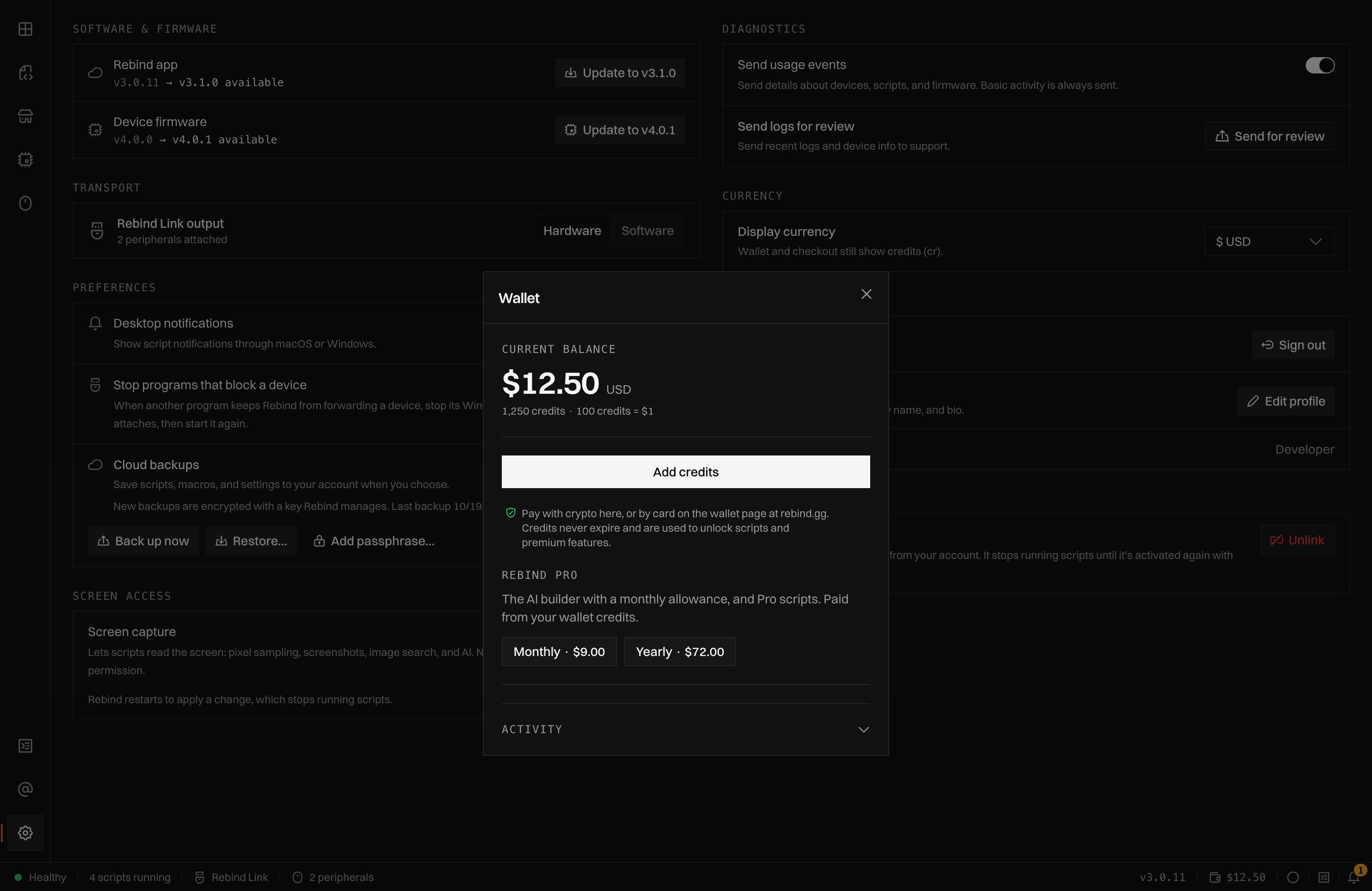
The Wallet: the credit balance, Add credits, and the Rebind Pro section with the Monthly and Yearly plans.
Renewal and cancelling
Pro renews from your wallet every month or year. An email reminder goes out before each renewal. If the wallet cannot cover a renewal, Pro ends at once. Rebind retries the charge every hour and whenever credits land in the wallet, and a successful charge turns Pro back on. The Subscriptions page on rebind.gg marks the plan Delinquent and offers Pay now. To cancel, open the Subscriptions page on rebind.gg, choose Cancel, then Confirm cancel. Cancelling stops renewals. Pro stays active until the end of the period you already paid for.The monthly AI allowance
Pro includes a monthly AI allowance, measured in US dollars of model usage. Every AI request spends from it: Assistant,rebind ai, the rebind.gg chat, and
rb.ai calls in your scripts. The allowance resets on the 1st of each month
(UTC).
Assistant shows a meter under the prompt with how much of this month’s
allowance is used, how much came from the wallet, and when the allowance
resets. The allowance amount is set by Rebind and shown there.