

Browse
The Marketplace view lists every live public listing. Filter by category, sort by newest, downloads, rating, or price, and search across names, summaries, and tags. A listing page shows the summary, the author’s README, screenshots and video, ratings, and the price.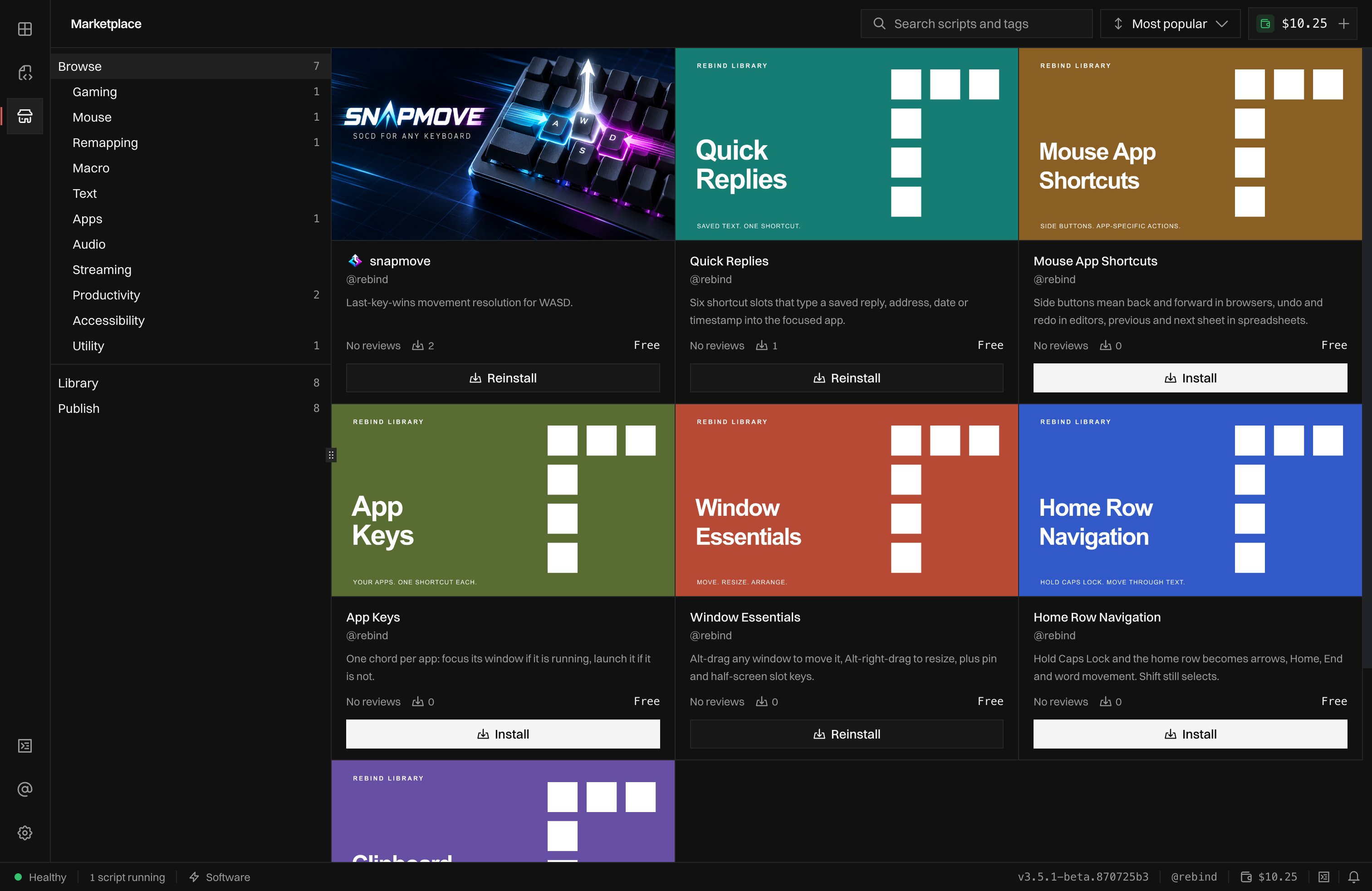
The Marketplace view: categories, Library, and Publish on the left, listings on the right.
Credits
Paid listings are bought with credits from your wallet, and only with credits. Top up in the Wallet view with crypto (BTC or LTC), or by card on the account wallet page at rebind.gg. Credits never expire. If your balance cannot cover a purchase, the purchase is refused and nothing is charged.Buy once or subscribe
A listing is free, sold once, sold as a subscription, or both.- One-time. Pay once and keep it.
- Subscription. Credits are charged now and again each day, week, or month, from your wallet. A reminder email goes out before each renewal. If the balance cannot cover a renewal, access ends at once and the subscription is marked delinquent; Rebind retries every hour and whenever credits land, and a successful charge restores access.
- Both. The listing page shows the two side by side. Pick one.
Cancel
Open the script in the Scripts view and use Cancel subscription in its info panel. Cancelling stops renewals. Access runs to the end of the period you already paid for, and the panel shows the date it ends. Until that date, Resume subscription in the same panel picks the subscription back up with nothing charged. Money back is governed by the refund policy. If the author stops selling the subscription, yours ends the same way: you are told, access runs to the end of the paid period, and nothing renews.Install and update
Buying, subscribing, or taking a free script installs it undermarketplace/
in the Scripts view. Reinstall from the listing at any time. What you get is the
version the marketplace has approved, never one still in review.
When the author ships a newer approved version, the script shows an update in
the Scripts view. Right-click it and choose Update to the new version. If
that version changed the script’s name or turned protection on or off, the
update installs as a second file next to the old one; delete the old one.