

What you need
- A Rebind Link and its USB cable, or a Teensy 4.0 or 4.1 with Rebind BYOH.
- An activation code. A Link has one printed on the welcome card included with the device. BYOH delivers the license key by email after purchase.
- The Rebind app, on the latest version. Install or update it.
- A signed-in Rebind account. Activation is rejected without one.
Flash a BYOH Teensy
Skip this section if you have a Link, which ships flashed. Plug the Teensy into your computer and open the Devices tab. A board with no Rebind firmware appears as an Unflashed board. Press Flash firmware and keep the board plugged in until the app reports that it is done. Then continue with activation below, using the license key from your email as the activation code.Connect and activate
Plug the Rebind Link in and open the Rebind app. The device is detected automatically, and Rebind shows a popup: a valid device was connected but is not yet activated. Enter the code from the welcome card, or the BYOH license key, and press Activate. The board is bound to your account from then on: after a reinstall or a reflash the device authenticates itself, with no code to re-enter.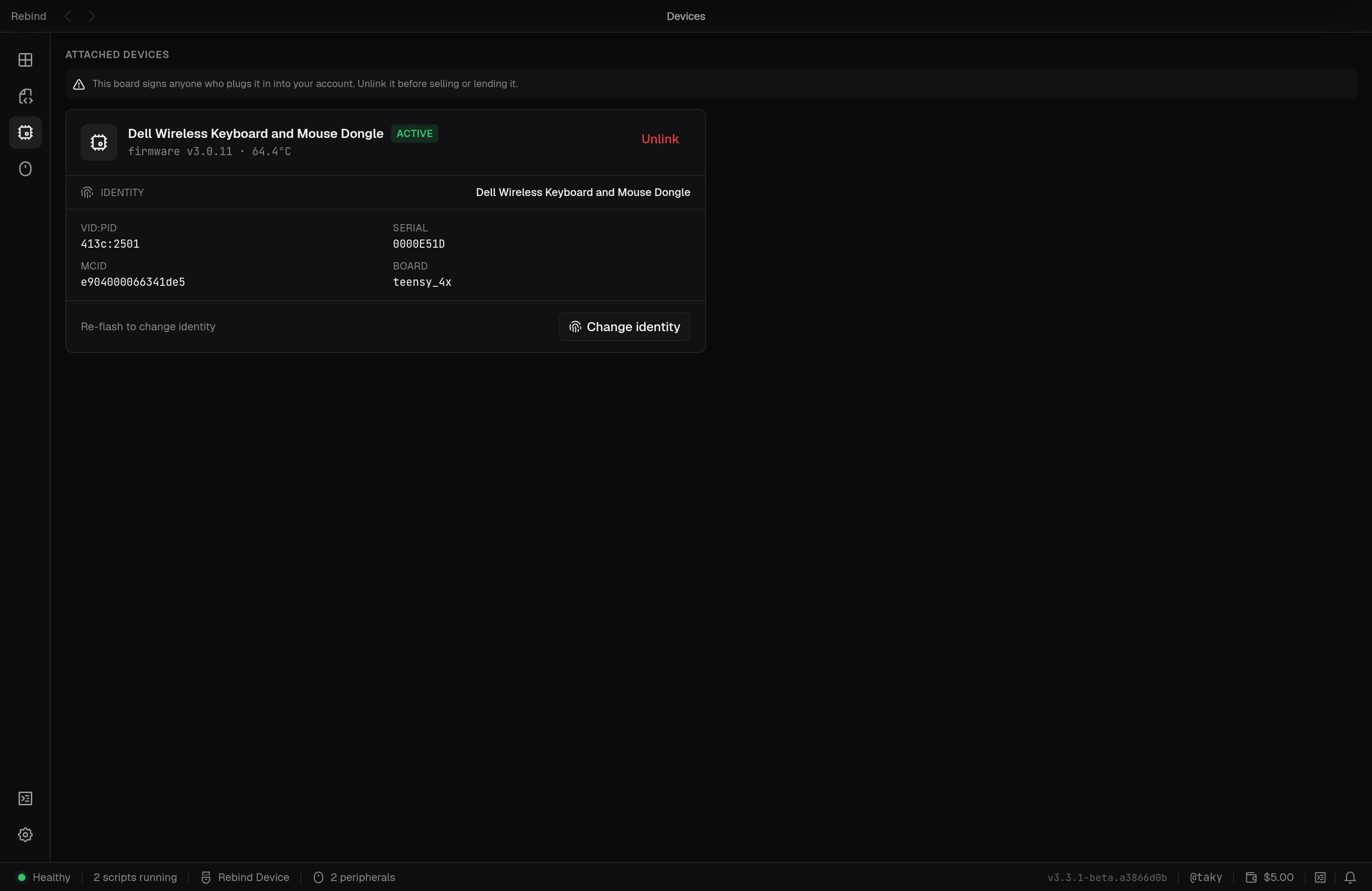
The Devices tab: your Rebind Link with its firmware version, activation state, and USB identity.
Attach your devices
Route your keyboard and mouse through Rebind’s sealed capture pipeline so the device can read their raw input:- Go to the Peripherals tab.
- Your keyboard and mouse are detected and listed automatically.
- Click Attach on each device you want routed through Rebind.
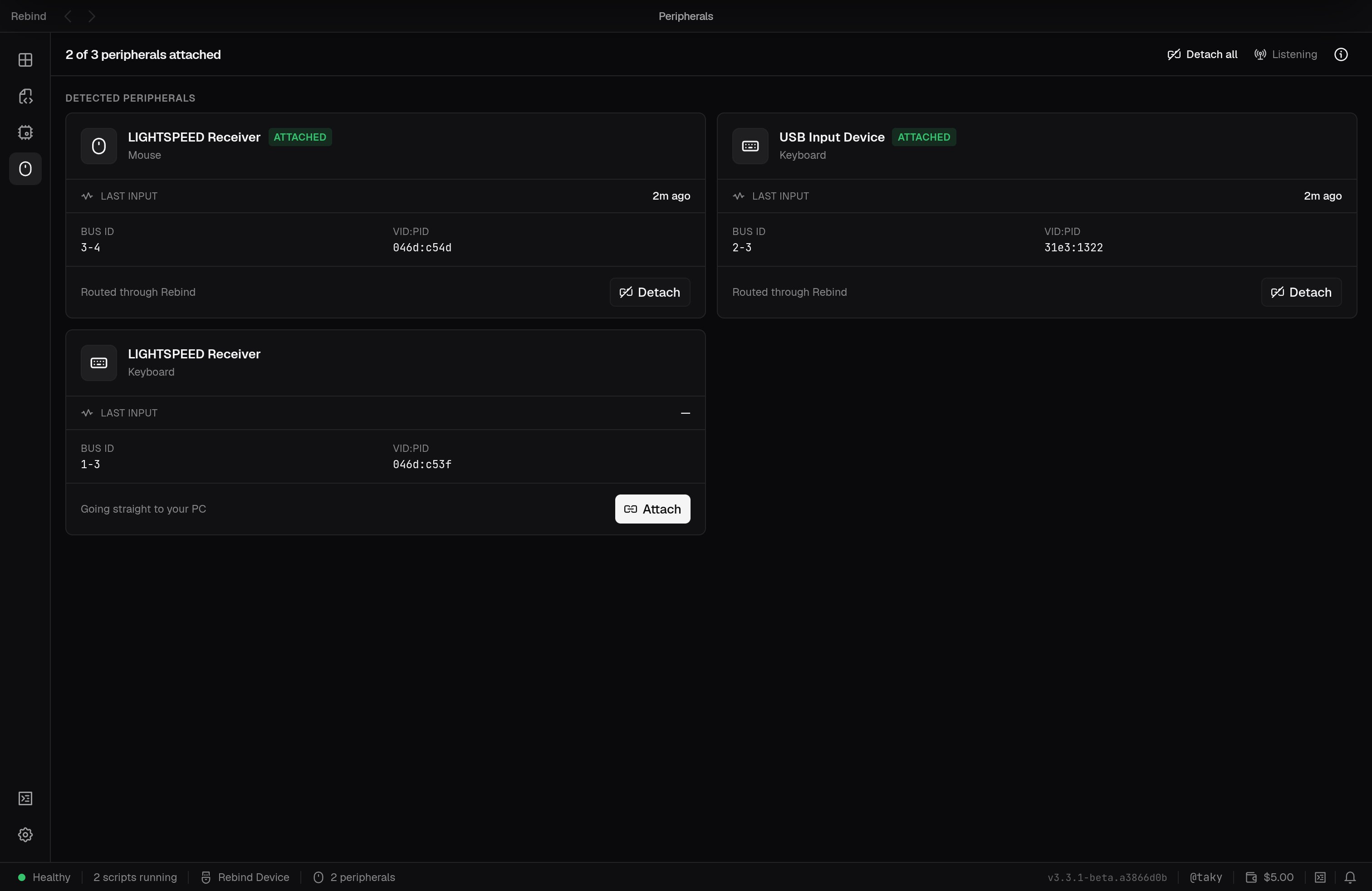
The Peripherals tab: detected devices, and whether each is routed through Rebind or going straight to your PC.
If hardware mode does not start
Open Console in the sidebar and rundoctor. It checks each link from the
USB connection to hardware mode: the Link on USB, its firmware, Windows drivers
(on Windows), its interfaces, the relay connection, your account, activation,
the hardware credential, and the output mode. A warning or failure prints its
fix on the next line, and the checks that depend on a broken step are skipped.
Doctor only reads state; it changes nothing.
If the fix does not help, send your logs. The
bundle includes the same checks.