

rb.ui declares a settings panel that Rebind shows in the script’s Options
tab, reads and writes the values the user sets there, and shows notifications.
A script reaches for it when a hotkey, a speed or a switch should change without
editing the code.
This script declares a toggle and a slider and logs their values when it starts:
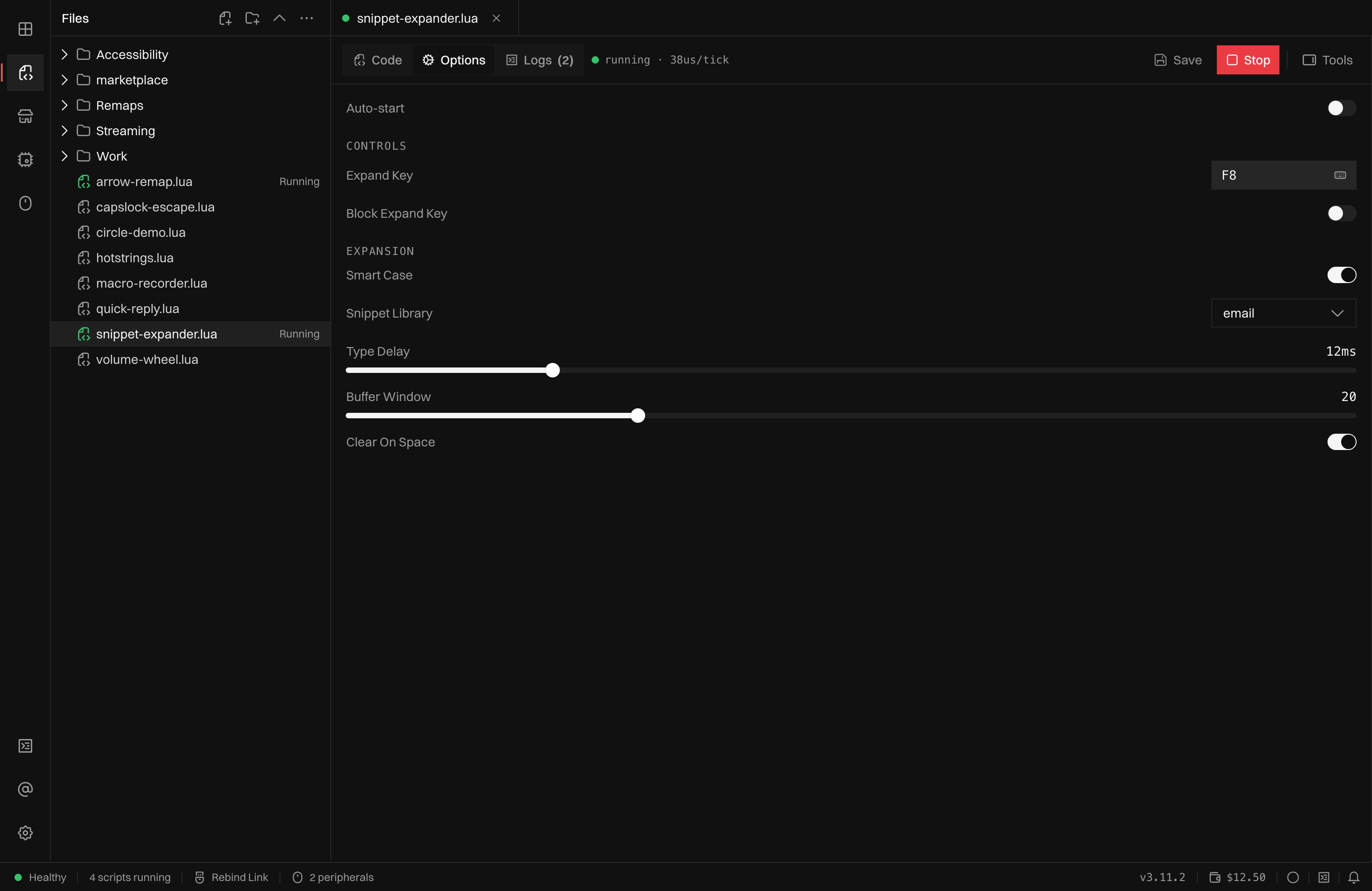
The Options tab of a running script, with toggles, a keybind, a select and sliders in two groups.
Fields appear in the order the constructors were called. Saved values load
before
rb.ui.schema returns, so top-level code already reads them, and every
change is saved, keyed by the script’s file path. A schema entry that is not
built with a constructor raises UI.Schema entry '<key>' is not a UI component.
A keybind field saves the next key, button or wheel step while it is listening.
Hold a modifier before it to save a chord such as LAlt+1 or LShift+WheelUp;
a modifier pressed and released alone is saved by itself. A plain left click is
never saved, so clicking the box again stops listening; a left click behind a
held modifier is saved as a chord such as LCtrl+LAlt+Mouse1. A wheel step is
a trigger for rb.bind only: it never reaches a down
handler or rb.input.is_down. A chord is a trigger for
rb.bind; a script that compares the value with a key
name in a handler gets the whole string.
Every keybind field shows an Only from this device switch. Turning it on
waits for the next press and saves the key as a
pinned key; the switch is off in software mode, where no device is known. A default is always a plain
key: one containing @ raises
UI.Schema entry '<key>': a keybind default is a plain key.
rb.ui.list
Needs:min_sdk=3.15.0.
A list shows its entries as rows with a remove button and an add field. Enter
adds an entry after trimming it, and a blank entry or one already in the list is
ignored. The script reads and writes a plain table of strings:
- The default must be an array of strings, or
{}. Anything else raisesUI.Schema entry '<key>': UI.List default must be an array of strings. cfg.key = valueandrb.ui.settake an array of strings. Any other value, such as a string, a number, or an array holding a non-string, raises an error that names the key and leaves the list as it was. Assigning{}empties it.- A table with extra non-numeric keys loses those keys, and a table with a gap is cut at the first gap, because only the array part is stored.
- A saved value that is not an array of strings, including one saved from the panel while the script was stopped, is ignored when the script loads, and the default is used.
max_lengthlimits an entry in the panel only. A script can write a longer entry.
Buttons
Needs:min_sdk=3.19.0.
rb.ui.button(label, opts) adds a button to the schema. The Options tab
shows it with its label, or the text of the look the script set, and whether
that look is active. Nothing in the
Options tab presses a button, so its handlers do not run from there.
cfg.key = { text = "LIVE", active = true } sets the look while the script
runs, cfg.key = nil restores the declared one, and a look is never saved.
Assigning anything other than a table raises an error that names the button.